DET Requirements 2026: ID, Secondary Camera & Rules That Invalidate Your Test
Complete DET requirements guide: test format, duration, computer specs, ID rules, and university score thresholds. Everything you need before test day.
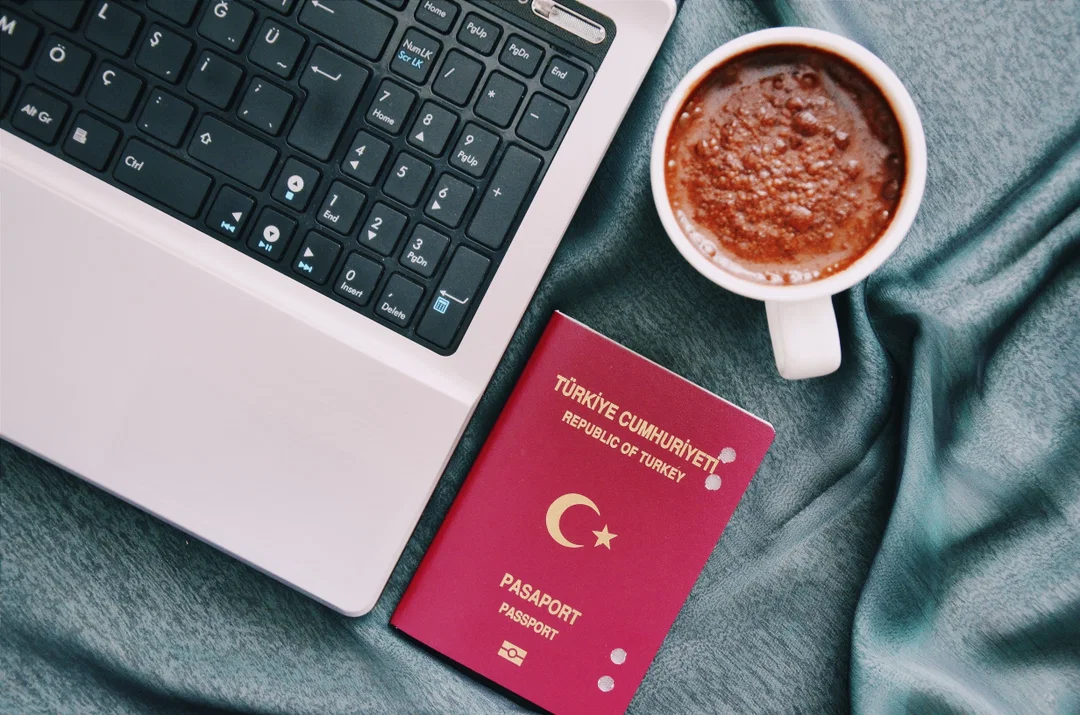
Most students read a requirements page, skim the bullet points, and think they're ready. Then they sit down on test day and find out their Chromebook doesn't work, their phone needs to be a camera (not hidden in another room), or their result gets flagged because they kept glancing left while thinking.
These aren't edge cases. They're the most common reasons students lose $65 and a month of preparation.
The DET has changed significantly since 2024. There's now a mandatory secondary camera, a 360° room scan, and an ear scan — all required before the adaptive test even begins. This guide covers what actually matters in 2026: the rules, why they exist, and what gets you flagged.
Why the Rules Are So Strict
Matías sent me a message after his third DET attempt. Speaking score: 85. Writing score: 115. Same person, same English knowledge, 30-point gap between two sections of the same test.
He wrote: "Cuando escucho una oración completa, hay palabras que se me pasan... pero si las escucho con el subtítulo, las puedo entender."
When I hear a full sentence, words pass me by. But with subtitles, I understand them fine.
That's the retrieval problem the DET is specifically designed to test. It doesn't want to know what English you recognize — it wants to know what English you can access under pressure, in real time, without support. Notes, a second screen, someone whispering help — these don't just break the rules. They break what the test is measuring.
That's why the proctoring is strict. And that's why the secondary camera, the room scan, and the eye-tracking rules exist. Once you understand that, the requirements stop feeling arbitrary.
Eligibility Requirements
The DET has almost no restrictions on who can take it:
- Age: No minimum. Test takers under 13 require parental consent via an online form during registration.
- Nationality: Available in every country — no passport or citizenship restrictions.
- Education: No qualifications, grades, or prior English study required.
- English level: No minimum. The adaptive format adjusts to your level in real time.
ID Requirements
You need a valid, government-issued photo ID showing your full legal name, a photo of your face, your full date of birth, and an expiration date.
Physical document only. Photocopies, phone photos, and digital scans are not accepted. You must present the original physical document during test setup. The name on your ID must match your Duolingo registration exactly — even a middle name mismatch can cause institutions to reject your results.
Accepted ID types
- Passport (universally accepted — always the safest choice)
- National ID card (accepted in many countries)
- Driver's license (accepted in some countries)
- Resident permit (accepted in some countries)
Country-specific ID rules
This is where students get caught out. ID acceptance varies significantly by country:
| Country | Accepted IDs |
|---|---|
| India | Passport only. Aadhaar card, PAN card, and driver's license are not accepted (policy since December 2021) |
| China | Passport only |
| USA | Passport, driver's license, state-issued photo ID |
| Canada | Passport, driver's license, government-issued photo ID |
| UK | Passport, national ID (EU citizens), driver's license |
| France, Germany | Passport, national ID card, driver's license |
| Most other countries | Passport + one additional form depending on country |
Verify your country's exact requirements at englishtest.duolingo.com/ids before test day. Using the wrong ID invalidates your session with no refund.
Computer and Technical Requirements
Device
You need a laptop or desktop computer. These will not work:
- Phones or tablets (including iPad)
- Chromebooks
- Linux systems
- 2-in-1 devices like Surface Pro (may not function correctly)
Since 2025, the DET runs through a desktop app — not a browser. You download it after purchase. Compatible operating systems: Windows 10 or later, macOS 10.15 (Catalina) or later.
Hardware
| Component | Requirement |
|---|---|
| Camera | Front-facing webcam (built-in or USB), at or near eye level |
| Microphone | Built-in or external — cannot be part of headphones |
| Speakers | Built-in or external — no headphones that cover your ears |
| Mouse/keyboard | One of each only — cannot switch devices mid-test |
| Screens | Single monitor only — second screens are not allowed |
Internet connection
- Minimum: 2 Mbps download / 1 Mbps upload
- Recommended: 10 Mbps or faster
- Wired ethernet strongly preferred over Wi-Fi or mobile hotspot
Do this first: Run Duolingo's official system check one to two days before your test. It checks your camera, microphone, internet speed, and app version. Students who skip this are the ones posting "my test was cancelled" in forums the next day.
Close before starting
Close everything before launching the test app: all browsers and extensions (including Grammarly), VPNs, remote access tools, screen sharing software, third-party keyboard tools, background sync services. VPNs cause immediate invalidation.
The Secondary Camera Requirement (2025)
Since September 2025, every DET test requires a smartphone as a secondary camera. This is mandatory — there is no opt-out, and you cannot start the test without completing the setup.
Your phone sits beside your computer and records your screen, keyboard, and upper body from a second angle throughout the entire session. The primary reason: remote-access cheating, where someone controls a test taker's screen from another location. The camera footage is cross-checked against what your computer webcam records.
The phone camera must fully capture your screen, keyboard, mouse, and upper body. If any part is out of frame, your score may not be validated.
What you need
- A smartphone with a working camera (any model)
- Fully charged, or plugged in during the test
- Connected to Wi-Fi
- Do Not Disturb mode on (ensure no contacts can bypass it)
- The Duolingo English Test mobile app installed
Tablets are also accepted. A second laptop cannot be used. If you don't own a phone, you can borrow one.
Setup steps
- Start the DET desktop app and reach the secondary camera step
- Scan the QR code shown on your screen with your phone
- Download the DET mobile app if needed and grant camera and motion permissions
- Enter the code shown on your computer screen
- Position your phone horizontally to the left or right of your computer — both your full screen and keyboard must be in frame
- Use a stable support (a mug, stack of books, or phone stand)
- Do not touch the phone again once the test begins
If your phone falls over mid-test, quit and restart. If the recording is interrupted or obscured, your session may be cancelled and you will need to retake from the beginning.
Room Scan and Ear Scan
Before the adaptive test begins, you complete two checks using your phone's camera.
360° Room Scan
- Point the camera at your computer
- Spin a full 360°, keeping the on-screen arrow centered
- Point the phone down at your keyboard
- Scan the area behind your laptop
- The scan ends automatically
Ear Scan
After the room scan, briefly hold your phone up to each ear. This confirms you're not wearing earbuds or any audio device. Quick, straightforward — just show each ear to the camera.
Environment Requirements
Your room
- Completely alone. Anyone entering — even briefly, even a child — can invalidate your session.
- Quiet. Background sounds (dog barking, traffic) are generally fine as long as you don't respond. Any conversation directed at you is a violation.
- Well-lit. Place a lamp in front of you, not behind. Shadowy or backlit footage fails the identity check.
- Clear desk. Remove notes, books, papers, and second screens before the room scan.
The only three things allowed on your desk
Your computer. Your phone (in its stable secondary camera position). Your ID. Everything else should be cleared before the scan starts.
Prohibited items
- Notes, papers, or notebooks
- Any additional electronic devices beyond the secondary camera phone
- Smartwatches or wearables
- Headphones that cover your ears
- Face masks (religious headwear allowed if your face is fully visible)
- Sunglasses
Behaviour During the Test
| Rule | Why it matters |
|---|---|
| Keep your eyes on the screen | Looking away suggests notes or a second screen — proctors can't tell the difference from "thinking" |
| Stay in the camera frame | Face and shoulders visible at all times |
| Don't speak unless prompted | No self-talk, whispering, or reading aloud |
| Hands visible, typing only | Unusual hand movements raise flags |
| Don't leave your seat | Even brief absences trigger invalidation |
| No copy-paste | Any detected copy action causes automatic invalidation |
The rule most students break accidentally: Looking away from the screen while thinking. It's a natural habit — when you're processing a hard question, your eyes tend to drift. Proctors cannot distinguish that from reading notes. Practice keeping your gaze on screen even when you pause to consider an answer.
The 6 Most Common Violations
From Duolingo's official partner sessions, these are the six violations that most often invalidate results:
- Frequent gaze diversion — eyes moving off-screen repeatedly, even while thinking
- Exam interruptions — anyone entering the room, or responding to background voices
- Background programs running — VPNs, remote software, browser extensions, or pop-ups
- Copying and pasting — any detected copy event causes automatic invalidation
- Unauthorized items on the desk — pens, paper, books, or extra devices
- Improper phone placement — secondary camera not capturing the full testing environment
Consequences for Breaking Rules
| Tier | Situation | Outcome |
|---|---|---|
| Rule Violation | Test environment may not have been secure | May retake if credits remain. No refund. Cannot appeal. |
| Possible Misconduct | Strong evidence of possible outside assistance | Credit expires. Can appeal within 72 hours. |
| Confirmed Misconduct | Confirmed outside assistance or fraud | Permanently banned. Can appeal once — decision is final. |
A pattern of violations across multiple tests within 365 days results in a one-year account suspension. Creating multiple accounts to bypass a ban is grounds for permanent ban.
Appeals window: 72 hours from receiving your result. The button appears in your account under "My Tests." Once 72 hours pass, it disappears permanently.
Score Requirements for Universities
| Institution Type | Typical Minimum Score |
|---|---|
| Community colleges | 85–95 |
| State universities (undergraduate) | 100–110 |
| Competitive universities | 115–125 |
| Top-tier / Ivy League | 125–135+ |
| Graduate programs | 110–130 (varies widely) |
Always check your target institution directly. Scores are valid for 2 years. For a full comparison with IELTS and TOEFL, see our DET score guide.
Visa Acceptance by Country
University acceptance and visa acceptance are two different things. Getting into a university that accepts DET does not mean DET counts for your visa.
| Country | University Acceptance | Visa Use |
|---|---|---|
| USA | 95% of US News Top 100 | No federal English test required for F-1 visa |
| Canada | 90% of top universities | No federal test required. SDS (which excluded DET) discontinued November 2024. |
| UK | Many universities accept DET | DET is not UKVI approved. You still need a SELT for the student visa. |
| Australia | Growing acceptance | Government does not accept at-home tests for visas — IELTS or equivalent required. |
| Ireland | 15 of 18 universities | DET accepted by the Irish government for study visa |
| New Zealand | Widely accepted | No English test required for standard fee-paying student visa |
UK applicants: A university accepting DET for admissions does not mean DET covers your visa. Check both requirements separately — many students find this out too late.
Registration
- Create a free account at englishtest.duolingo.com using your exact legal name
- Purchase the test ($65 USD) — you have 21 days from purchase to start
- Download the DET desktop app
- Run the system check 1–2 days before test day
- On test day: ID ready, phone charged with DET app installed, clear desk, quiet room
Retake Policy
- Credit validity: 21 days from purchase
- Frequency: Up to 2 certified attempts in any 30-day window
- Invalid attempts count toward your 30-day limit
- Must receive results before scheduling another attempt
- Score validity: 2 years from test date
- Score sends: Free and unlimited
What to Have Ready on Test Day
- Original government-issued ID (not a copy)
- Phone — charged, Do Not Disturb on, DET mobile app installed
- Login credentials for englishtest.duolingo.com
No admission ticket. No printout. No pencils or scratch paper.
Ready to set up your test environment? Our complete DET setup checklist covers room scan, secondary camera positioning, lighting, and everything proctors check before certifying your score.
Not sure why your DET score is stuck?
Take a free practice test and see exactly where your score leaks — before you pay for the real thing.
Start the free practice test →Frequently asked
How long is the Duolingo English Test?
Approximately 1 hour total. The adaptive section is 45 minutes, followed by a video interview and writing sample. Results arrive within 48 hours.
What are the computer requirements for the Duolingo English Test?
A laptop or desktop running Windows 10+ or macOS 10.15+. Chromebooks, iPads, tablets, and Linux systems are not supported. The test runs through a desktop app (not a browser). You also need a front-facing camera, microphone, speakers, and minimum 2 Mbps internet.
Do I need a phone for the Duolingo English Test?
Yes. Since September 2025, a smartphone is mandatory as a secondary camera. It records your screen and keyboard from a second angle throughout the session. You cannot start the test without completing the secondary camera setup. Tablets are also accepted; a second laptop is not.
What ID do I need for the Duolingo English Test?
An original, physical, government-issued ID showing your full legal name, photo, date of birth, and expiration date. Indian and Chinese test takers must use a passport only. The name must match your Duolingo registration exactly. Photocopies and digital images are not accepted.
What is the secondary camera requirement for the DET?
Since September 2025, all test takers must use a smartphone or tablet as a secondary camera positioned beside their computer. It records your screen, keyboard, and upper body throughout the test. Set it up by scanning a QR code in the desktop app, installing the DET mobile app, and positioning the phone horizontally so both your full screen and keyboard are in frame. It must not be moved for the entire session.
What gets your Duolingo English Test invalidated?
The six most common causes: frequent gaze diversion (looking away while thinking), someone entering the room, background programs like VPNs or Grammarly running, copying and pasting text, unauthorized items on the desk, and improper phone placement that doesn't capture the full testing environment.
What happens if you break a rule on the Duolingo English Test?
Duolingo uses three tiers: Rule Violation (may retake, no refund, no appeal), Possible Misconduct (credit expires, 72-hour appeal window), Confirmed Misconduct (permanent ban, one appeal allowed, decision is final). A pattern of violations within 365 days results in a one-year account suspension.
Is the Duolingo English Test accepted for UK visas?
No. The UK Home Office requires a SELT (Secure English Language Test) for student visa applications. DET is not on the UKVI approved list. Many UK universities accept DET for admissions, but you still need a separate UKVI-approved test for the visa itself.
How much does the Duolingo English Test cost?
$65 USD per test. No scheduling required — start within 21 days of purchase. Results in 48 hours, valid for 2 years. Score sending is free and unlimited.
How many times can I take the Duolingo English Test?
Up to 2 certified attempts within any 30-day rolling window. You must receive results from your previous attempt before scheduling another. Invalid attempts still count toward the 30-day limit. No annual cap on total attempts.
Keep reading

Stuck at the Same DET Writing Score? You're Retelling, Not Analyzing
Your vocabulary is fine. Your grammar works. Real students' own words reveal the invisible ceiling — retelling — and a 60-second test tells you whether it's yours.

What to Do When You Don't Know the Word in DET Speaking
A student who couldn't name the place he was standing in learned to describe a deep-sea animal he'd never seen. The same chain keeps you talking when a word disappears in the test.

She Learned the Rule. Three Minutes Later, She Broke It Twice.
A student learned the do/make rule, confirmed she understood it, and broke it twice three minutes later. That gap is why DET scores stall, and why studying harder does not close it.